

Autodesk Construction Cloud: How Homeowners Can Track a Roofing Project in Real Time
A roof replacement should not feel like a mystery happening above your head. Tools like Autodesk Construction Cloud can help contractors document photos, materials, approvals, and daily progress so homeowners can better understand what happened on their roof and when it happened.
You do not need to be a software expert to care about this. You just need to know whether your roofer keeps a clean project record, shares useful updates, and can back up their work if an insurer, warranty provider, inspector, or future buyer asks questions later.
Autodesk Construction Cloud is now part of Autodesk Forma, but many contractors and construction teams still use the Autodesk Construction Cloud name when talking about field documentation and project management. For homeowners, the name matters less than the process: clear photos, organized records, and fewer missing details.
What is Autodesk Construction Cloud?
Autodesk Construction Cloud is a set of connected web and mobile apps built to manage a construction project from first estimate to final closeout. Contractors use it to store drawings, log daily work, track materials, route approvals, and keep every photo and message tied to the right job. It is one of the better-known names in a category that also includes Procore, Buildertrend, and CompanyCam, and the category as a whole is what we mean when we talk about moving a project to the cloud.
The important word is connected. Instead of a roof’s paperwork living in a truck glovebox, a foreman’s text thread, and a folder on someone’s laptop, everything sits in one place that the office, the crew, and (when invited) the homeowner can all open. Industry research firms have estimated that construction teams lose a meaningful chunk of every workweek just hunting for information scattered across disconnected tools, and a unified platform is the answer to that problem.
Why Roofers Are Moving Projects to the Cloud
Roofing looks simple from the curb, but a single replacement carries a surprising amount of detail. There is the tear-off, the decking inspection, the underlayment, the flashing at every penetration, the ridge and hip work, and a dozen small decisions a crew makes between sunup and quitting time. On commercial and structural jobs the detail multiplies: which trusses were set, where the diagonal wind bracing was nailed at each rafter crossing, and whether the purlins were fixed vertically or laid at right angles to the rafter.

Keeping all of that straight on paper is hard, and paper does not travel. When a crew documents the work inside a shared platform, the office sees the same record the field sees, and so does the property owner. That is why serious contractors have adopted these tools for commercial roofing project management, where a flat roof can involve weeks of phased work, multiple material deliveries, and an insurance adjuster who needs to verify every line item.
Cloud documentation also pairs naturally with newer field technology. Many crews now run drone roof inspections at the start and end of a job, and those aerial images upload straight into the project file. Instead of a clipboard sketch, you get a dated, overhead photo set that shows the roof before the first shingle came off and after the last one went on.
What You Can Actually See as a Homeowner
The real payoff of Autodesk Construction Cloud, from a homeowner’s chair, is visibility. When your roofer invites you into the project, you are not getting a marketing dashboard. You are getting a window into the same record the crew is keeping, updated through the day rather than summarized after the fact.
Daily Documentation and Photos
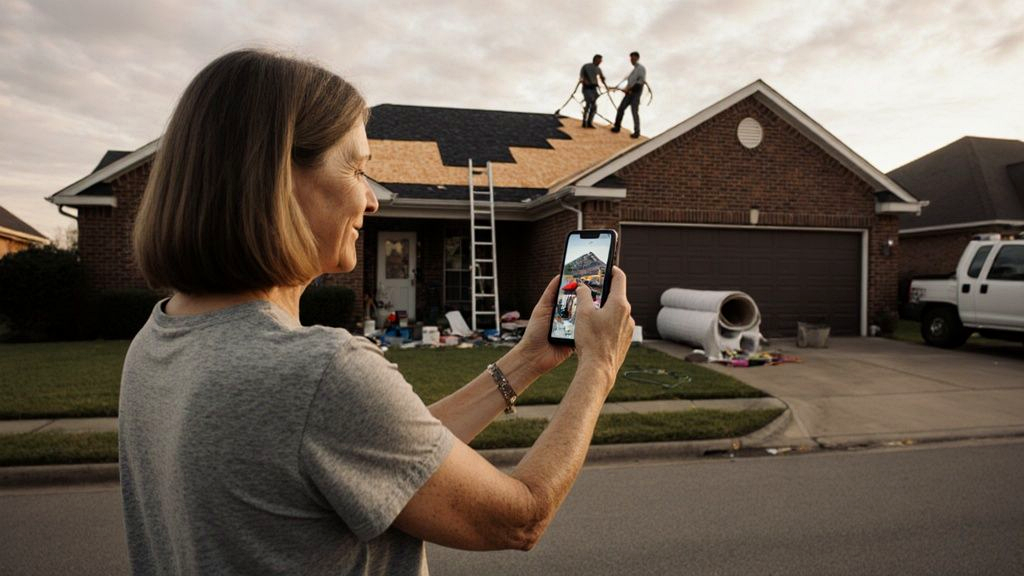
The single most useful thing you will see is the daily photo log. A foreman takes timestamped pictures from the same angles each shift, so progress is obvious even to someone who has never been on a roof. You can sit in your driveway, open your phone, and watch the old roof come off, the decking get inspected, the synthetic underlayment go down, and the new shingles climb the slope, all without bothering anyone for an update.
This is the same discipline behind well-kept daily progress reports, just delivered through software instead of a printed sheet. The crew notes what got installed, who was on site, the weather, and any issue the next shift needs to know about. You read it on your own schedule.

Material and Spec Tracking
The materials record is where good documentation quietly saves you money. A solid platform does not just say shingles delivered. It logs the brand, color, lot number, and time of delivery, and it ties any substitution to a reason. If a fastener spec changed because the original was on backorder, that decision lives in the file instead of in someone’s memory. Months later, if a warranty question comes up, the answer is already written down.
Communication Without the Phone Tag
Most disputes between homeowners and contractors are not really about roofing. They are about communication, or the lack of it. The cloud approach removes most of the friction because every message, photo, and approval is attached to the project itself rather than scattered across texts, voicemails, and email threads that nobody can find later.
If you have a question about a vent placement, you ask it inside the file, the crew sees it with the relevant photo right there, and the answer is saved where both sides can return to it. If a change needs your sign-off, the request and your approval are both timestamped. Nobody has to remember who said what on which Tuesday, because the platform remembers for everyone.
The Documentation That Protects You
Here in Mississippi, a huge share of roof replacements run through an insurance claim, and that is exactly where a clean digital record earns its keep. When an adjuster questions whether storm damage was real, or a manufacturer asks how a product was installed before honoring a warranty, the contractor who can produce a dated, photo-backed file almost always wins the conversation. The one who cannot is left arguing from memory.
A unified project file gives you that protection without any extra effort on your part. Every inspection photo, every delivery ticket, and every approval is already organized by date and location. If you sell the home later, that record becomes a selling point: proof that the roof was installed correctly, with documentation a buyer’s inspector can actually review. On a major commercial roof replacement, that same archive can be the difference between a smooth closeout and a drawn-out dispute.
You can dig into the platform’s official capabilities on the Autodesk Construction Cloud product site if you want the technical detail. For most homeowners, though, the point is simpler: the work is being recorded, and that record belongs to your project.
Curious What Project Tracking Looks Like on Your Roof?
We are happy to show you exactly how we document a job from tear-off to cleanup, so you know what to expect before you ever sign a contract. No pressure, no obligation.
See How We Document Your RoofDo You Need the Software, or Just a Contractor Who Uses It?
This is the question the whole topic comes down to. You, the homeowner, do not need to buy or learn Autodesk Construction Cloud. What you need is a roofer who already runs a documented process and is willing to let you see it. The software is just the tool that makes a good habit visible. A disciplined crew with a simple shared photo album beats a sloppy crew with an expensive platform every time.
When you interview contractors, the tells are easy to spot. The questions below separate a crew that documents everything from one that is hoping you never ask.
Will I See Daily Photos?
Ask whether you will get dated progress photos during the job, not just before-and-after shots. A contractor who tracks work in the cloud can say yes without hesitating.
Where Do Materials Get Logged?
A good answer names a system, not a memory. Brand, color, lot number, and delivery date should all live somewhere you can check later.
How Will We Communicate?
Listen for a single channel tied to the project, rather than a tangle of personal cell numbers. One organized thread beats five scattered ones.
What Do I Get at Closeout?
The best contractors hand you a complete file: photos, specs, warranty paperwork, and inspection records, all in one place you keep for good.
Technology Is Only as Honest as the Crew Using It
Cloud platforms have genuinely changed roofing for the better. They turn a noisy, hard-to-follow process into a clear record that a homeowner can read from the couch, and they give everyone, from the adjuster to the future buyer, a single source of truth. Autodesk Construction Cloud and tools like it are a big reason the gap between a transparent contractor and a secretive one has never been wider.
Still, software does not pour a single drop of honesty into a company that does not already have it. The technology only matters because it makes a good crew’s work easy to verify. At Topco, we treat that visibility as part of the job, not an upsell, because a homeowner who can see the work is a homeowner who never has to wonder whether it was done right.
If you are weighing a roof replacement this season and want to see what a documented project looks like from your side, our team is glad to walk you through it. The first conversation costs nothing, and you will leave it knowing exactly how your roof will be tracked from the first tear-off photo to the final inspection.
Ready to Work With a Crew That Documents Everything?
Topco Roofs keeps a clear, dated record on every project, large or small, and we are glad to share it with you in real time. Talk to our team about your next roof and see honest roofing in action.
Schedule Your Free Roof Inspection